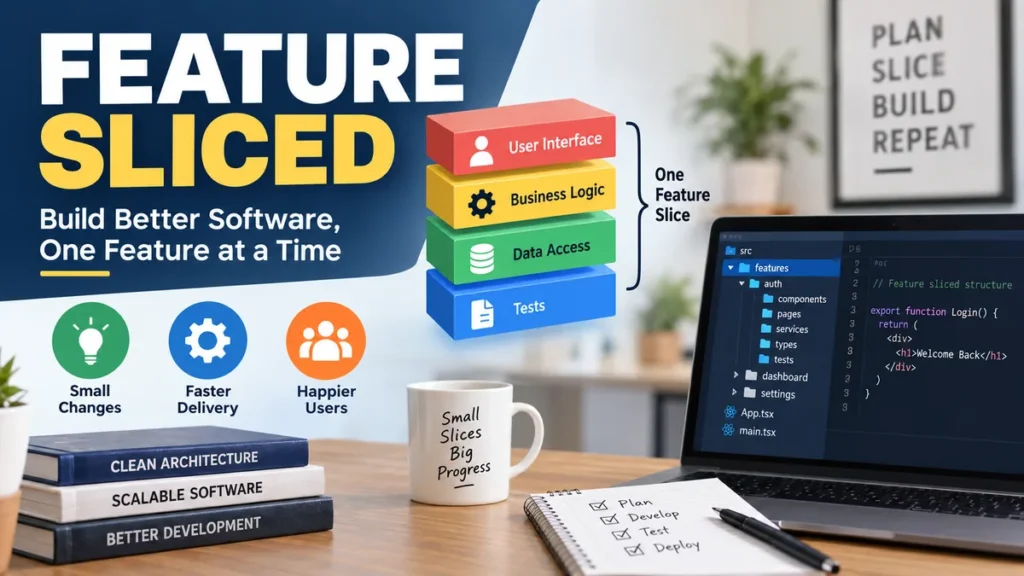
Frontend applications rarely become difficult because developers cannot build components. The real problem appears later, when hundreds of components, hooks, API calls, stores, utilities, and business rules no longer have an obvious place to live.
feature sliced commonly refers to Feature-Sliced Design (FSD), a frontend architectural methodology that organizes application code through hierarchical layers, business-oriented slices, and technical segments. Its main purpose is to create predictable module boundaries, control dependencies, and make growing frontend codebases easier to understand and change.
Unlike a traditional structure built around folders such as components, hooks, services, and utils, Feature-Sliced Design organizes much of the application according to business meaning.
The result is not simply a different folder tree. FSD establishes rules for where responsibilities belong, which modules may communicate with each other, and which parts of a module should be exposed to the rest of the application.
What Does feature sliced Mean?
The phrase feature sliced usually describes Feature-Sliced Design, often shortened to FSD.
Feature-Sliced Design is an architectural methodology for frontend applications rather than a JavaScript library or framework. The official documentation describes it as a collection of conventions for structuring frontend code so that applications remain understandable and stable as requirements change.
Its structure revolves around three concepts:
- Layers describe the architectural responsibility of code.
- Slices group code around business domains or meaningful product concepts.
- Segments organize code inside a slice according to technical purpose.
A simplified structure might look like this:
src/
├── app/
├── pages/
├── widgets/
├── features/
├── entities/
└── shared/
Inside one of those layers, a slice could contain:
features/
└── add-to-cart/
    ├── ui/
    ├── model/
    ├── api/
    └── index.ts
This arrangement gives developers more information than a generic structure such as:
src/
├── components/
├── hooks/
├── services/
├── utils/
└── types/
A file called components/ProductButton.tsx tells you its technical format.
A file living inside features/add-to-cart/ui/ tells you both its technical role and the business capability it supports.
That distinction becomes increasingly useful as an application grows.
Why feature sliced Architecture Exists
Many frontend projects begin with a perfectly reasonable structure.
There may be:
components/
hooks/
services/
utils/
pages/
With 20 files, locating code is easy.
With 500 files, the same structure can create questions such as:
- Which component owns checkout behavior?
- Where should product validation live?
- Can one feature import another feature?
- Which API functions are safe to reuse?
- Why does changing one module unexpectedly affect five others?
- Which files belong to the user domain?
- Is a helper truly global, or does it belong to one business feature?
The problem is not that folders such as components are inherently wrong. The problem is that technical categories become less useful for explaining business relationships.
Feature-Sliced Design approaches the problem differently.
Instead of asking only:
What kind of file is this?
FSD encourages developers to ask:
What responsibility does this code have, and which part of the product does it belong to?
The methodology combines this domain-oriented organization with explicit dependency rules.
That helps create two qualities commonly sought in software architecture:
High cohesion means code belonging to the same responsibility stays close together.
Low coupling means unrelated modules have fewer unnecessary dependencies on one another.
This makes architectural boundaries visible in the filesystem rather than relying entirely on team knowledge.
The Core Structure of Feature-Sliced Design
FSD has three structural levels:
| Level | Main question | Example |
|---|---|---|
| Layer | What architectural responsibility does this code have? | pages, features, shared |
| Slice | Which business concept does it belong to? | product, checkout, profile |
| Segment | What technical purpose does it serve? | ui, api, model |
Understanding the differences between these levels prevents one of the most common FSD mistakes: treating every folder as interchangeable.
Layers define architectural responsibility
Layers sit at the highest level.
The official hierarchy contains:
appprocesses— deprecatedpageswidgetsfeaturesentitiesshared
Projects do not need every layer. The official documentation specifically says layers should be added only when they provide value, with shared, pages, and app being common foundations.
Slices define business boundaries
Slices usually appear inside layers such as:
pages/
features/
entities/
widgets/
Examples include:
pages/
├── product-details/
└── checkout/

features/
├── add-to-cart/
└── sign-in/

entities/
├── product/
└── user/
A slice should represent a meaningful domain or responsibility rather than an arbitrary technical grouping.
Segments define technical purpose
Within a slice, code can be separated into segments such as:
ui/
api/
model/
lib/
config/
Common responsibilities include:
| Segment | Typical responsibility |
|---|---|
ui | Components and presentation |
api | Requests, API functions, DTOs, mappers |
model | State, schemas, selectors, business rules |
lib | Internal supporting utilities |
config | Configuration and feature settings |
Segment names should communicate why code exists.
Creating folders such as hooks, types, or components everywhere may recreate the technical grouping problem FSD is trying to solve.
Understanding the Feature-Sliced Layers
The layers are easier to understand when viewed from the bottom upward.
Lower layers contain more reusable and less application-specific code. Higher layers can combine responsibilities from layers below them.
Shared
shared forms the foundation of the application.
It can contain reusable infrastructure such as:
shared/
├── api/
├── ui/
├── lib/
├── config/
└── routes/
Typical examples include:
- API client configuration
- design-system components
- generic utility functions
- routing helpers
- environment configuration
- common libraries
Business-domain logic usually should not be placed here merely because several modules use it.
For example:
shared/ui/button/makes sense for a generic button.
But:
shared/ui/add-to-cart-button/probably contains business meaning and deserves a more specific architectural home.
Entities
Entities describe important business concepts.
Examples might include:
entities/
├── user/
├── product/
├── order/
└── comment/
A product entity might expose:
entities/product/
├── ui/
│   └── ProductCard.tsx
├── model/
│   └── product.ts
├── api/
│   └── productApi.ts
└── index.ts
Entities are not simply TypeScript interfaces.
They represent domain concepts that have earned a reusable architectural boundary.
Modern FSD guidance cautions against extracting every noun into an entity prematurely. The v2.1 pages-first model intentionally encourages less aggressive decomposition.
Features
Features usually represent meaningful user interactions or business capabilities.
Examples could include:
features/
├── add-to-cart/
├── authenticate-user/
├── change-password/
└── submit-review/
A useful way to think about a feature is as something the user can meaningfully do.
For example:
- add an item to a cart
- follow another user
- submit a review
- change a profile picture
- apply a discount code
However, not every button click deserves a feature slice.
If an interaction belongs exclusively to one page and has no independent architectural value, current FSD guidance may favor leaving it inside that page.
Widgets
Widgets represent substantial, relatively independent UI sections.
Examples can include:
widgets/
├── header/
├── product-gallery/
├── checkout-summary/
└── comments-panel/
A widget may combine entities, reusable UI, business logic, and features.
The newer pages-first approach also allows widgets to keep their own logic when that logic does not need to be extracted elsewhere.
That is an important distinction from older interpretations that treated widgets mainly as composition containers.
Pages
Pages represent screens or route-level parts of the application.
For example:
pages/
├── home/
├── product/
├── checkout/
└── profile/
Modern Feature-Sliced Design gives Pages considerably more responsibility than some older tutorials suggest.
In FSD v2.1, developers are encouraged to begin decomposition at the page level and keep page-specific code there until there is a genuine reason to extract it.
App
The app layer handles application-wide concerns.
Typical responsibilities include:
app/
├── providers/
├── router/
├── styles/
└── config/
Examples include:
- application initialization
- global providers
- router setup
- global styles
- dependency injection
- top-level configuration
Because this layer sits at the top, it can compose code from layers beneath it.
Processes
Older diagrams often show:
processes/between app and pages.
The official layer documentation now marks Processes as deprecated.
That matters when following older tutorials, because copying an old seven-folder structure without understanding the current methodology may introduce unnecessary architecture.
The Most Important feature sliced Rule: Dependency Direction
Folder naming is not the heart of Feature-Sliced Design.
The dependency rule is.
The official rule states that a module inside a slice may import other slices only when those slices belong to layers strictly below its own layer.
A simplified dependency direction looks like this:
app
 ↓
pages
 ↓
widgets
 ↓
features
 ↓
entities
 ↓
shared
This does not mean every import must pass through each layer.
A page may directly use Shared:
pages → sharedA widget may import an entity:
widgets → entitiesA feature may use Shared:
features → sharedWhat matters is direction.
Valid example
features/add-to-cart
    ↓
entities/product
    ↓
shared/api
This is valid because dependencies move downward.
Invalid example
Suppose this occurs:
entities/product
    ↓
features/add-to-cart
Now the lower-level Product entity depends on a higher-level application capability.
That reverses the hierarchy.
It can make the supposedly reusable Product module aware of something more specialized than itself.
Same-layer imports are also restricted
Another subtle rule concerns slices on the same layer.
For example:
features/sign-in
features/change-password
One feature should generally not reach directly into another feature’s internals.
Similarly:
entities/user
entities/order
should not casually become interconnected through unrestricted imports.
These boundaries reduce hidden coupling and help prevent architectural relationships from gradually turning into a dependency web.
Public APIs Keep Slice Internals Private
Feature-Sliced Design uses the concept of a public API.
A public API defines what the outside world is allowed to import from a slice.
In JavaScript or TypeScript, this is often implemented with an index.ts file:
features/add-to-cart/
├── ui/
│   └── AddToCartButton.tsx
├── model/
│   └── useAddToCart.ts
├── api/
│   └── addToCart.ts
└── index.ts
The public API could export:
export { AddToCartButton } from "./ui/AddToCartButton";
export { useAddToCart } from "./model/useAddToCart";
Outside modules then import:
import { AddToCartButton } from "@/features/add-to-cart";rather than:
import { AddToCartButton }
  from "@/features/add-to-cart/ui/AddToCartButton";
Why does this matter?
Because deep imports expose internal file structure.
If every consumer imports internal paths directly, reorganizing a slice can require modifications throughout the entire application.
A public API creates an explicit contract. Internal files can change while consumers continue importing the same exported interface.
The official FSD tutorial recommends defining strict public APIs for slices and explains that this gives developers freedom to refactor internals without changing the external contract.
What Changed With Feature-Sliced Design v2.1?
One of the most important developments in modern FSD is the pages-first approach.
Feature-Sliced Design v2.1 was released with an updated mental model for decomposition.
Older FSD examples often encouraged teams to identify Entities and Features early and build Pages from those smaller units.
That approach could produce structures such as:
entities/
features/
widgets/
pages/
even before developers knew which abstractions were actually reusable.
Version 2.1 recommends starting from Pages instead.
A useful principle is:
Keep code near where it is used until there is a concrete architectural reason to move it.
Imagine a checkout page contains a shipping-address form used nowhere else.
An overly aggressive decomposition might immediately create:
features/edit-shipping-address/But under a pages-first approach, it could remain inside:
pages/checkout/If the same capability later becomes useful on Account Settings, Order Editing, and another screen, that real reuse may justify extracting it.
This reduces premature abstraction.
Why pages-first matters
The approach addresses a practical architecture problem: teams sometimes create too many abstractions because they expect future reuse that never arrives.
Then the codebase ends up with dozens of tiny slices that are technically organized but cognitively expensive.
Pages-first changes the default question from:
Where can I extract this?
to:
Does this responsibility actually need its own architectural boundary?
That often produces simpler projects.
Example of a Practical Feature-Sliced Structure
Consider a small e-commerce application.
A reasonable starting point could be:
src/
├── app/
│   ├── providers/
│   ├── router/
│   └── styles/
│
├── pages/
│   ├── home/
│   ├── product/
│   ├── cart/
│   └── checkout/
│
├── widgets/
│   ├── header/
│   └── product-list/
│
├── features/
│   ├── add-to-cart/
│   └── sign-in/
│
├── entities/
│   ├── product/
│   └── user/
│
└── shared/
    ├── api/
    ├── ui/
    ├── lib/
    └── config/
The Product page could import:
widgets/product-list
features/add-to-cart
entities/product
shared/ui
The Add to Cart feature could import:
entities/product
shared/api
shared/ui
But the Product entity should not import:
features/add-to-cartbecause that would reverse the dependency hierarchy.
This is where FSD becomes more than a folder convention. The architecture communicates allowed relationships.
Feature-Sliced Design vs Traditional Folder Structures
A common traditional architecture may look like:
src/
├── components/
├── pages/
├── hooks/
├── services/
├── store/
├── utils/
└── types/
A Feature-Sliced structure instead organizes responsibilities around architectural meaning.
| Traditional structure | Feature-Sliced approach |
|---|---|
| Groups mainly by technical type | Combines architecture, domain, and technical purpose |
| Shared folders can grow very large | Business code stays near its domain |
| Dependency rules may be informal | Layer imports follow defined direction |
| Components may depend on unrelated modules | Slice boundaries constrain dependencies |
| Refactoring can expose many internal paths | Public APIs create module contracts |
| Easy to start | More deliberate architectural discipline |
Neither style is universally superior.
A small marketing site with a handful of components may gain little from several FSD layers.
A large frontend product with evolving business domains can benefit much more from explicit module boundaries.
Is Feature-Sliced Design Only for React?
No.
Feature-Sliced Design is framework-independent.
The official documentation says it does not impose a particular programming language, UI framework, or state manager. It can also be introduced incrementally and used within monorepos.
React and TypeScript appear frequently in examples because their ecosystems have widely adopted modular frontend patterns.
However, the architecture can also be applied to environments such as:
- Next.js
- Vue
- Nuxt
- Svelte
- Angular
- mobile UI applications
- desktop frontend applications
The implementation details change.
The architectural questions remain similar:
- Where does business logic belong?
- Which modules may depend on each other?
- What should be publicly exposed?
- What should remain private?
- When is an abstraction truly reusable?
Those questions are not React-specific.
Benefits of feature sliced Architecture
The methodology becomes most useful when application complexity starts creating coordination problems.
More predictable code placement
Developers can reason about where code should live based on responsibility.
A product model probably belongs near Product-related domain code.
An add-to-cart action has a different architectural role.
A generic modal component has another.
That is more informative than placing all three inside enormous global technical folders.
Controlled dependencies
The layer import rule prevents arbitrary dependency directions.
Instead of discovering coupling only when refactoring becomes painful, the architecture makes many problematic relationships identifiable earlier.
Better module encapsulation
Public APIs hide internal details.
Consumers depend on a slice’s contract rather than its private implementation.
Easier navigation
When code follows business domains, developers searching for checkout logic can inspect checkout-related boundaries rather than jumping among unrelated global folders.
Safer refactoring
Lower coupling and defined module contracts make it easier to change one area without accidentally depending on private internals elsewhere.
Incremental adoption
An existing project does not need a complete rewrite.
The official guidance explicitly supports incremental adoption.
That makes FSD usable as a migration strategy rather than only as a greenfield architecture.
Limitations and Common Problems With FSD
Feature-Sliced Design solves organizational problems, but it can create new problems when applied mechanically.
Too many layers
Developers sometimes create every documented layer immediately:
app
processes
pages
widgets
features
entities
shared
That misses the point.
processes is deprecated, and the official guidance says projects do not need every layer.
Use architectural boundaries because they solve a problem, not because a diagram contains them.
Excessive slicing
A common mistake is converting every small piece of functionality into a slice.
You may end up with:
features/
├── open-modal/
├── close-modal/
├── click-button/
├── update-field/
├── clear-field/
└── toggle-menu/
That is organization without useful abstraction.
A slice should earn its boundary through meaningful responsibility.
Treating every noun as an entity
A domain model may contain hundreds of nouns.
That does not mean the frontend needs hundreds of Entity slices.
FSD v2.1’s pages-first approach specifically pushes against unnecessary early decomposition.
Turning Shared into a dumping ground
A folder named shared can quickly become the new utils.
Before moving code there, ask whether the code is genuinely application-wide infrastructure or simply business logic that happens to be reused.
Ignoring public APIs
A project can have perfectly named FSD folders while still importing:
@/features/cart/model/internal/private/storethroughout the codebase.
At that point, much of the encapsulation benefit disappears.
Migrating everything at once
Large architecture rewrites create risk.
A safer approach is to migrate around active pages or domains, establish dependency rules, and gradually improve boundaries.
How to Adopt Feature-Sliced Design Step by Step
You do not need to design the perfect final architecture before writing code.
A practical migration path is simpler.
1. Start with App, Pages, and Shared
These give the project a basic architectural foundation:
src/
├── app/
├── pages/
└── shared/
Keep page-specific code inside Pages.
Avoid extracting Features and Entities simply because you expect future reuse.
2. Organize page internals by purpose
A page could contain:
pages/product/
├── ui/
├── api/
├── model/
└── index.ts
This already provides meaningful structure.
3. Identify responsibilities that genuinely repeat
If the same stable responsibility is needed by several pages, consider extracting it.
Ask:
- Does it have independent business meaning?
- Will several consumers use it?
- Can it have a clear public API?
- Does extraction reduce coupling?
If not, keeping it local may be simpler.
4. Introduce Entities when domain concepts earn boundaries
Frequently reused business concepts such as User or Product may eventually deserve Entity slices.
Do not extract them merely to match an architecture illustration.
5. Extract Features for reusable capabilities
Capabilities such as authentication, adding products to a cart, or changing a password may deserve Feature boundaries when they have meaningful reuse or independent responsibility.
6. Add Widgets for substantial reusable UI blocks
A complex header, product gallery, or comment panel can become a widget when treating it as a separate architectural unit improves the codebase.
7. Define public APIs
Create clear exports for slices.
Prefer:
import { ProductCard } from "@/entities/product";over:
import { ProductCard }
from "@/entities/product/ui/card/ProductCard";
8. Enforce dependency rules
Architecture maintained only through documentation tends to drift.
Feature-Sliced Design has tooling for architectural checks, including Steiger, while its ecosystem also provides generators and supporting utilities. The official site describes FSD as both a methodology and a toolchain.
The Feature-Sliced CLI can also generate layers, slices, and segments from the command line.
Automated checks are especially useful once multiple developers contribute to the same codebase.
How Do You Decide Where Code Belongs?
When uncertain, use a short decision process.
First ask:
Is this application-wide initialization or configuration?
Use app.
Does it belong only to one route or screen?
Keep it in pages.
Is it a substantial reusable UI block combining several responsibilities?
Consider widgets.
Is it a reusable user-facing capability or business action?
Consider features.
Is it a stable reusable business concept?
Consider entities.
Is it domain-agnostic infrastructure or a generic reusable primitive?
Consider shared.
Then ask a second question:
Does extracting this code create a useful boundary, or merely another folder?
That second question prevents much of the over-engineering associated with architecture methodologies.
Feature-Sliced Design and Monorepos
FSD can be used in a monorepo, but the two concepts solve different problems.
A monorepo organizes multiple packages or applications within a repository.
Feature-Sliced Design organizes responsibilities inside an application or architectural unit.
A large monorepo might contain:
apps/
├── customer-web/
└── admin-web/

packages/
├── design-system/
└── api-client/
Each frontend application can then apply FSD internally:
apps/customer-web/src/
├── app/
├── pages/
├── features/
├── entities/
└── shared/
The official overview specifically notes that FSD can scale through packages and be applied individually within monorepos.
When Should You Use feature sliced?
Feature-Sliced Design is worth considering when:
- your frontend contains multiple business domains
- the application will continue growing
- developers frequently struggle to decide where code belongs
- technical folders such as
componentsandutilshave become too broad - modules contain unpredictable cross-dependencies
- refactoring one area repeatedly breaks unrelated areas
- several developers or teams contribute to the same frontend
- business requirements change frequently
- you want enforceable architectural boundaries
It may offer less value when:
- the project is tiny
- the frontend is mainly a static presentation site
- the application is short-lived
- there are very few business responsibilities
- the architecture would introduce more concepts than the application itself requires
The official documentation does not impose a minimum team or project size. It states that FSD can work with projects and teams of different sizes, while leaving developers to decide whether the architecture provides meaningful value.
What Actually Makes FSD Work
The success of Feature-Sliced Design does not come from creating six folders.
It comes from maintaining understandable boundaries.
A healthy implementation usually follows a few practical principles:
- keep single-use code close to its consumer
- extract abstractions after responsibility becomes clear
- keep dependencies moving downward
- avoid uncontrolled same-layer coupling
- expose slices through deliberate public APIs
- organize business code around domains rather than only file types
- keep Shared genuinely generic
- do not create every possible layer
- automate architectural checks where practical
These principles matter more than reproducing someone else’s directory tree exactly.
Final Takeaway
feature sliced refers to Feature-Sliced Design, a frontend architecture methodology designed to make application structure and dependency relationships easier to understand.
Its core model is straightforward: layers define architectural responsibility, slices represent meaningful business boundaries, segments organize code by technical purpose, and dependency rules control how those pieces communicate.
The newer FSD v2.1 pages-first approach makes the methodology more practical by discouraging premature abstraction. Start with Pages, App, and Shared, keep local code local, and introduce Entities, Features, or Widgets when those boundaries genuinely improve the architecture.
For a growing frontend codebase, that discipline can be far more valuable than simply finding a clever way to arrange folders.